Service Level Agreements (SLAs) come in many forms and descriptions in life, promising a basic level of acceptable experience. Typically, SLAs have some measurable component, i.e. a metric or performance indicator.
Take, for example, the minimum speed limit for interstates. Usually, the sign would read “Minimum Speed 45 mph”. I always thought the signs existed to keep those who got confused by the top posting of 70 mph (considering that to be the minimum) from running over those who got confused thinking 45 mph to be the maximum.
It turns out the “minimum speed” concept is enforced in some states in the U.S. to prevent anyone from impeding traffic flow. For those who recall the very old “Beverly Hillbillies” TV show, I’ve often wondered if Granny sitting in a rocking chair atop a pile of junk in an open bed truck, driving across the country might be a good example of “impeding the flow of traffic” at any speed. Although, from the looks of the old truck, it probably couldn’t manage the 45 mph minimum either.
In the world of IT, there are all sorts of things that can “impede the flow” of data transfer, data processing, and/or data storage. While there’s nothing as obvious as Granny atop an old truck, there are frequently Key Performance Indicators (KPIs) that could indicate when things aren’t going according to plan.
What Old School SLAs Miss
Historically, IT SLAs have focused on a Reliability, Availability, and Serviceability (RAS) model. While not directly related to specific events/obstacles to optimum IT performance, RAS has become the norm:
- Reliability – This “thing of interest” shouldn’t break, but it will. Let’s put a number on it.
- Availability – This “thing of interest” needs to be available for use all the time. That’s not really practical. Let’s put a number on it.
- Serviceability – When this “thing of interest” breaks or is not available, it must be put back into service instantly. In the real world, that’s not going to happen. Let’s put a number on it.
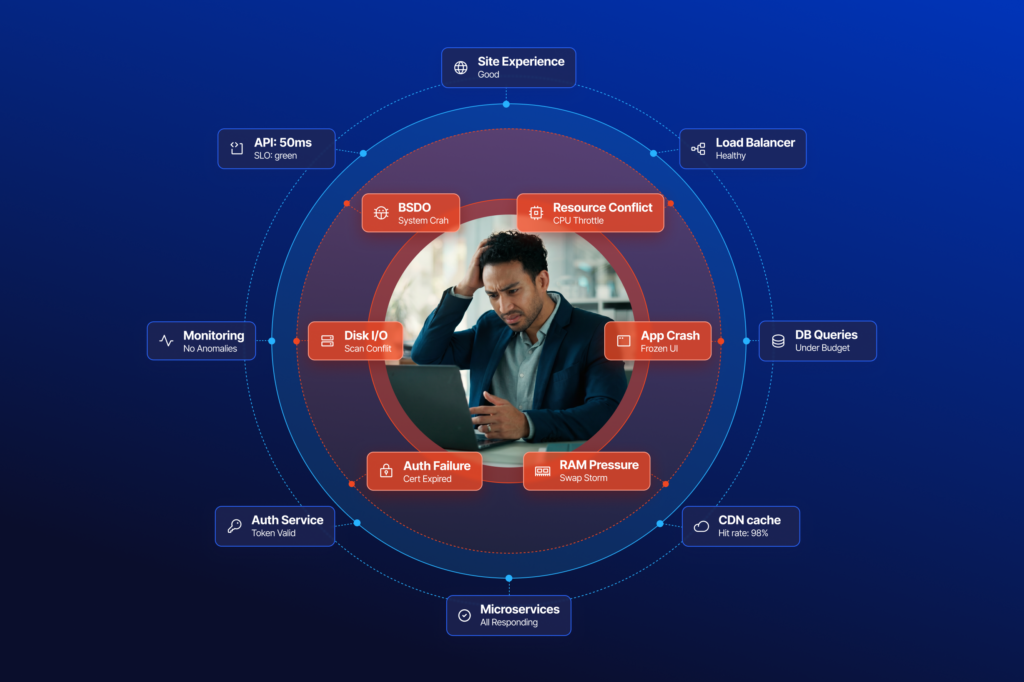
In the IT industry, there exist many creative variations on the basic theme described above, but RAS is at the heart of this thing called SLA performance. The problem with this approach from an end-user standpoint is that it misses the intent of the SLA, which is to ensure the productivity/usefulness of “the thing of interest”. In the case of a desktop, that means ensuring that the desktop is performing properly to support the needs of the end user. Thus, the end user’s productivity/usefulness is optimized if the desktop is reliable, available, and serviceable… but is it really? Consider the following commonplace scenarios:
- The desktop is available 100% of the time, but 50% of the time it doesn’t meet the needs of the end user, e.g. it has insufficient memory to run an Excel spreadsheet with its huge, memory-eating macros.
- A critical application keeps crashing, but every call to the service desk results in “Is it doing it now?” After the inevitable “No” is heard, the service desk responds, “Please call back when the application is failing.” This kind of behavior frequently results in end users becoming discouraged and simply continuing to use a faulty application by frequently restarting it. It also results in a false sense of “reliability” because the user simply quits calling the service desk, resulting in fewer incidents being recorded.
- A system’s performance is slowed to a crawl for no apparent reason at various times of the day. When the caller gets through to the service desk, the system may/may not be behaving poorly. Regardless, the caller can only report, “My system has been running slowly.” The service desk may ask, “Is it doing it now?” If the answer is “Yes,” they may be able to log into the system and have a look around using basic tools, only to find none of the system KPIs are being challenged (i.e. CPU, memory, IOPs, storage, all are fine). In this scenario, the underlying problem may have nothing to do with the desktop or application. Let’s assume it to be the network latency to the user’s home drive and further complicate it by the high latency only being prevalent during peak network traffic periods. Clearly, this will be outside the scope of the traditional RAS approach to SLA management. Result: again a caller who probably learns to simply tolerate poor performance and do the best they can with a sub-optimized workplace experience.
To Improve End-User Experience, Start Measuring It
So, how does one improve on the traditional RAS approach to SLA management? Why not monitor the metrics known to be strong indicators of a healthy/not so healthy workstation? In this SLA world, objective, observable system performance metrics are the basis for the measurement of a system’s health. For example, if the CPU is insufficient, track that metric and determine to what extent it is impacting the end user’s productivity. Then do the same for multiple KPIs. The result is very meaningful number that indicates how much of a user’s time is encumbered by poor system performance.
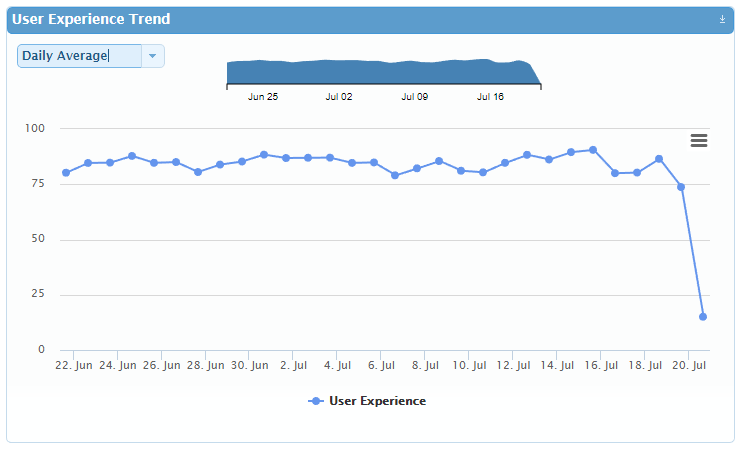
In the case of SLAs based on observable system KPIs, once a baseline is established, variations from the baseline are easily observable. Simply focusing on counting system outages and breakage doesn’t get to the heart of what an IT department wants to achieve. Namely, we all want the end user to have an excellent workspace experience, unencumbered by “impeded flow” of any type. The ultimate outcome of this proposed KPI vs RAS based SLA approach will be more productive end users. In future blogs, I will expand on how various industries are putting into practice a KPI based SLA governance model.



Subscribe to Lakeside Updates
Receive product updates, DEX news, and more