
At some point, many of us have either shamefully filed a ticket to a service desk with a problem or have been on the other side and worked to resolve tickets that have piled up out of nowhere. Sometimes we are both lucky to get a quick resolution (have you considered not leaving your laptop running for a year straight?) or sometimes it takes a little bit longer (RIP your motherboard). However, a consistent battle that IT at the service desk face with their users is reducing the time-to-resolution of an impact. At the end of the day, that’s the main goal: Help and resolve as many impacts as possible with as little interaction/disturbance to the end users.
The Service Desk Dilemma
Service desks have been around for years but have not progressed quite as efficiently as technology has progressed. The way a service desk is typically run is through the customer or end user filing a ticket with a brief description of the problem. Then the service desk usually reaches back out to the end user to further discuss the issue. This is the part where it gets a little vague. Sometimes the end user doesn’t want to admit that their laptop took a fall down some stairs, sometimes it’s the all too familiar scenario of “I swear it was broken an hour ago.”
Once the two of you figure out what truly happened and what the resolution is, the user walks away and you two hope you will never see each other again (it’s for the best right?). What happens to the history of the end users, whether it gets tossed away or kept in some sort of form, is up to the service desk to manage. However, sometimes it’s hard to interpret what the previous service desk IT did. If the user comes back with the same problem, the service desk and the user typically must walk through the steps again to rule out some decisions. If only there was a quick way to check the user’s system at the time they noticed impact, or even a brief history of their system to get a better understanding…
Five Optimizations with Just One Tool?
SysTrack, Lakeside Software’s digital experience monitoring solution, provides a way to optimize the service desk by providing a clear and easy way to find the source of impact. Located directly on the endpoint, the tool provides the most valuable and unique point of view: the end user. SysTrack helps optimize the service desk by:
1. Helping you match issues to the appropriate service desk support level, lowering unnecessary and time-consuming interactions with end users.
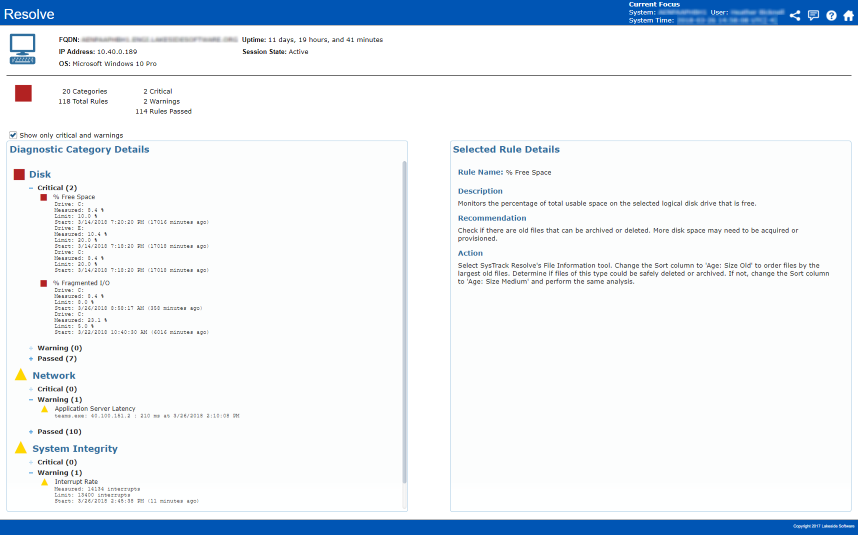
2. Directing the service desk straight to the root cause, leading to a quick resolution.
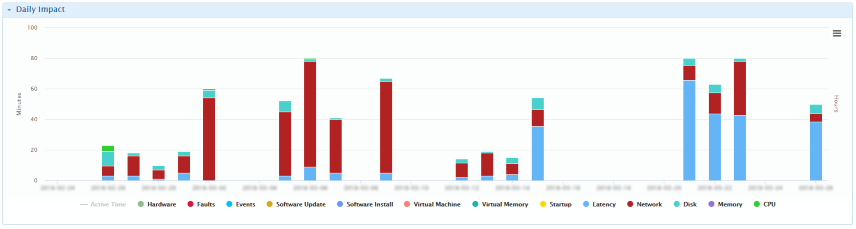
3. Following the history of the end users. No more guessing around, service desk employees will be able to pinpoint the exact time and day of any abnormalities within the end user’s system.

4. Gaining the ability to see if one end user’s impact is also impacting others in the same environment, allowing proactive resolution before the end users may even realize.
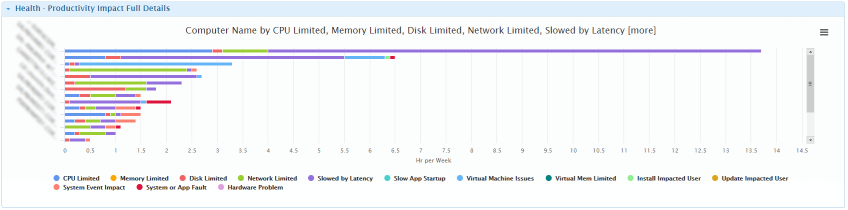
5. Monitoring the end user in real-time to see if an issue was truly resolved.
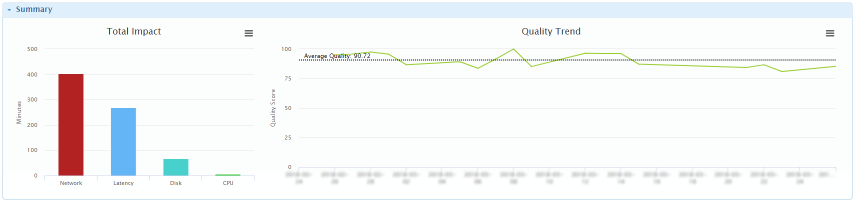
With SysTrack, end users can now have an optimized end-user experience due to the further optimized service desk experience!



Subscribe to Lakeside Updates
Receive product updates, DEX news, and more